

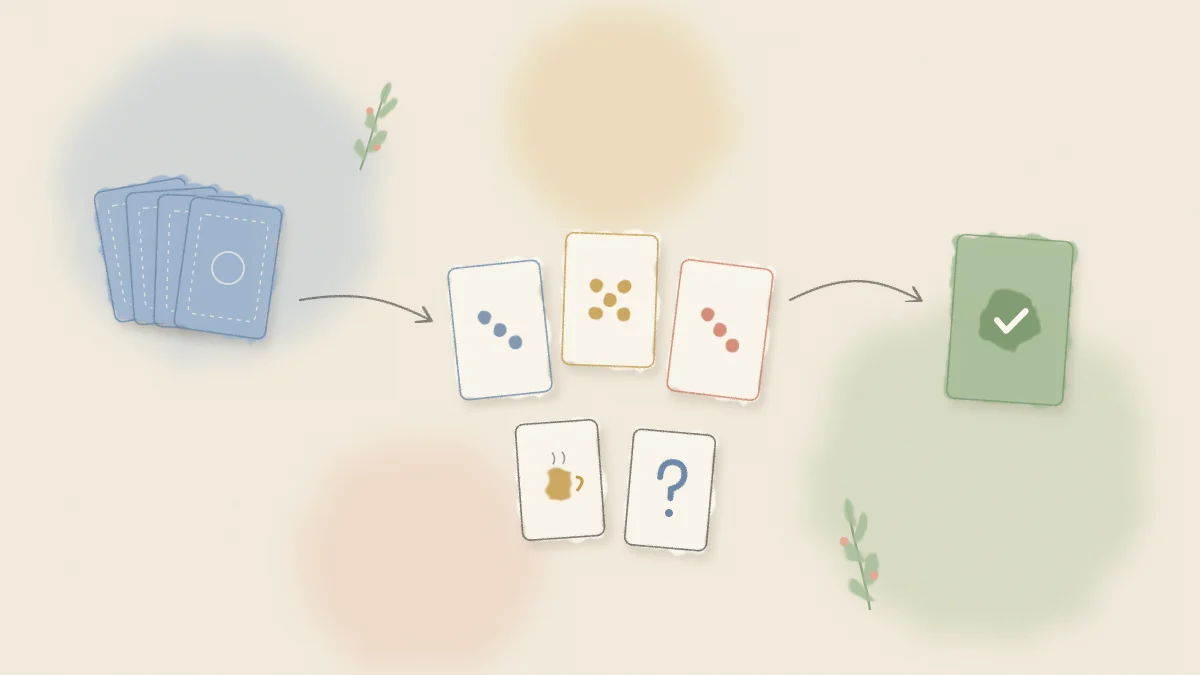
Planning poker is a consensus based estimation technique. Each person on the team privately chooses a card that represents their estimate for a piece of work, everyone reveals at the same moment, and the differences between the cards start the conversation. The number matters less than what the team learns while agreeing on it. You can follow along in a free planning poker room on Nextretro.
This guide explains how to play planning poker step by step: who does what, how a round runs, why the outliers speak first, when to vote again, and when the technique is the wrong tool. No account is needed to open a room or to join one.
If you are still choosing a deck, read Fibonacci vs T-shirt sizing first. If your backlog lives in Jira, the Jira estimation guide shows how to bring tickets in and take estimates back out.
Why teams estimate with cards instead of discussion alone
When a team estimates by talking, the first number spoken becomes an anchor. People who planned to say 8 hear a senior engineer say 3 and quietly adjust, and the knowledge behind the 8 never enters the room.
Planning poker removes the anchor by making the first vote private. Two cards far apart then signal that people are picturing different work, not that someone is wrong. The technique works best for relative estimation: "is this bigger or smaller than that finished item?" rather than predicting hours.
Roles in a planning poker session
A session needs three kinds of participant. One person can hold more than one role on a small team.
| Role | Who usually takes it | What they do |
|---|---|---|
| Facilitator | Scrum Master, team lead, or any team member | Runs the rounds, keeps time, reveals cards, records the final estimate |
| Product Owner or item author | Product Owner, or whoever wrote the ticket | Explains the goal of the item and answers questions about scope and acceptance criteria |
| Estimators | Developers and anyone who will do the work | Vote, explain their reasoning, and agree on the final estimate |
The Product Owner usually does not vote, because their vote can pull the estimate toward what they hope it will be. Stakeholders can observe, but should not vote or comment on the numbers. Decide these rules once and keep them consistent.
How to play planning poker, step by step
Here is one round, from reading the ticket to recording the result.
1. Prepare the items before the session
Bring a short list of items that are ready to discuss: a clear title, a description, and acceptance criteria. Paste them into the room one per line, or import a CSV export from your tracker. In Nextretro, lines such as KEY-123 Add password reset are recognized as a ticket key and a title.
Choose the deck with the team before you start, and keep it for the whole session.
2. Present the item
The Product Owner or ticket author explains the outcome the item should produce in a minute or two. The goal is a shared picture of "done", not a design session.
3. Ask clarifying questions
Estimators ask questions about scope, dependencies, and acceptance criteria. The facilitator watches for discussion that drifts into solution design. A useful prompt is: "Do we know enough to give a rough size?"
4. Everyone votes privately
Each estimator picks a card. In an online room, votes stay hidden until the cards are revealed, so nobody can wait and copy. The room shows who has voted, so the facilitator can wait for the last person without pressuring them.
Two special cards help here. The ? card means "I do not understand this item well enough to estimate it." The coffee card means "I need a break." Both are useful signals, not failures.
5. Reveal all cards at once
All votes are revealed at the same time. Nextretro shows the average, the median, how closely the team agrees, and a suggested card from the deck. Treat these as inputs to the conversation, not as the answer.
6. The outliers explain first
If the votes are spread out, the people who chose the highest and lowest cards explain their reasoning before anyone else speaks. This is the most important rule in the whole technique.
The person who voted 13 might know about a legacy integration nobody else remembered. The person who voted 2 might know a library that already solves half the problem. Both pieces of knowledge change the estimate, and both would have stayed hidden if the middle of the group had simply averaged the numbers.
Keep explanations short and factual: "I voted high because the payment provider has no sandbox for this flow." Nobody should be made to feel wrong for being an outlier.
7. Re-vote
After the outliers have spoken, start a fresh round. Everyone votes again with the new information. In most cases the cards move closer together. When they converge on one card or two adjacent cards, the team has an estimate.
8. Record the final estimate and move on
The facilitator sets the final estimate and moves to the next item. If the team is split between two adjacent cards, a common convention is to take the higher one, or to ask the people at the lower card whether they can accept it. At the end of the session, export the final estimates as a CSV with the issue keys so you can update your tracker.
How many re-votes are enough?
Two rounds usually settle an item. If a third round is still spread across the deck, the problem is rarely the number. More often the item is unclear, it is too large, or the team holds two different solutions in mind.
At that point, stop voting and choose one of these:
- Split the item into smaller pieces that can be estimated separately.
- Add a spike to investigate the unknown, then estimate the item afterwards.
- Park it and ask the Product Owner to clarify scope before the next session.
A timebox of a few minutes per item, agreed by the team, keeps this from dragging.
Common planning poker mistakes
These patterns show up often and quietly undo the value of the exercise.
- Revealing votes one at a time. The second person to show their card is anchored by the first. Always reveal together.
- Averaging instead of discussing. An average of 3 and 13 is 8, which nobody actually believes. The spread is the information.
- Treating story points as hours. Points describe relative size, effort, complexity, and uncertainty. Converting them to hours brings back the precision the scale was designed to avoid.
- Estimating items that are not ready. If every round ends in ? cards, refine the backlog before the session rather than during it.
- Letting one senior person explain first every time. The outlier rule exists so that quieter people with different information are heard.
- Comparing velocity between teams. A 5 on one team is not a 5 on another.
When not to use planning poker
The technique is not the right fit for every team or every backlog.
Very small or very uniform work. If almost every item is roughly the same size, counting items may be enough.
A large backlog that needs a rough shape. Estimating a hundred items card by card takes a long time. Use a faster sorting exercise or T-shirt sizes to get a rough map first, then estimate the near term items properly.
Teams that already agree on the first round. If the discussion rarely adds anything, estimate only the items where someone flags uncertainty.
When estimates are used to judge people. If points are tied to performance reviews or used to compare individuals, people will vote defensively. Fix that problem first; no estimation technique survives it.
After estimating: plan the sprint and review the process
Estimates feed into sprint planning, where the team decides which items fit in the next sprint and why. A sprint planning board gives the goal, stories, tasks, and blockers a shared place.
At the end of the sprint, look back at items where estimate and actual effort were far apart. Ask what the team did not know at estimation time, not who got it wrong. A free online retrospective board on Nextretro is a simple place to collect those observations, and you can start one right after an estimation session.
If your work lives in Azure DevOps or Linear rather than Jira, see planning poker for Azure DevOps and Linear for the CSV round trip.
Frequently asked questions
How do you play planning poker?
The team reviews one item at a time. Each estimator privately chooses a card, everyone reveals together, and the people with the highest and lowest cards explain their reasoning. The team then votes again until the cards converge, and the facilitator records the final estimate before moving to the next item.
Who should vote in planning poker?
The people who will do the work vote, which usually means the developers on the team. The Product Owner explains the item and answers questions but normally does not vote. Stakeholders can observe. Agree on the rule once and apply it consistently across sessions.
What do the question mark and coffee cards mean?
The question mark card means the person does not understand the item well enough to estimate it, which is a signal to clarify scope before voting again. The coffee card means the person needs a break. Both help the facilitator see when the session has stopped being productive.
What happens if the team cannot agree on an estimate?
After two or three rounds without convergence, stop voting. Persistent disagreement usually means the item is unclear, too large, or understood as two different solutions. Split it, add a short investigation spike, or ask the Product Owner to clarify the scope before estimating it again.
How long should a planning poker session take?
It depends on the number of items and how well refined they are. Many teams timebox each item to a few minutes and park anything that runs over. Keep sessions short enough that people stay focused, and take breaks when someone plays the coffee card.
Do I need an account to run planning poker on Nextretro?
No. The facilitator opens a room without an account, and participants join from the room link with a display name. You can paste tickets or import a CSV, vote with one of four decks, and export the final estimates as a CSV.